Embed Rekwest On Your Own Website
Already have a website? You can now put a request box straight onto one of your pages, or place a button that opens the full Rekwest experience. Either way your visitors go from your site to requesting a song in seconds, and both options are free.
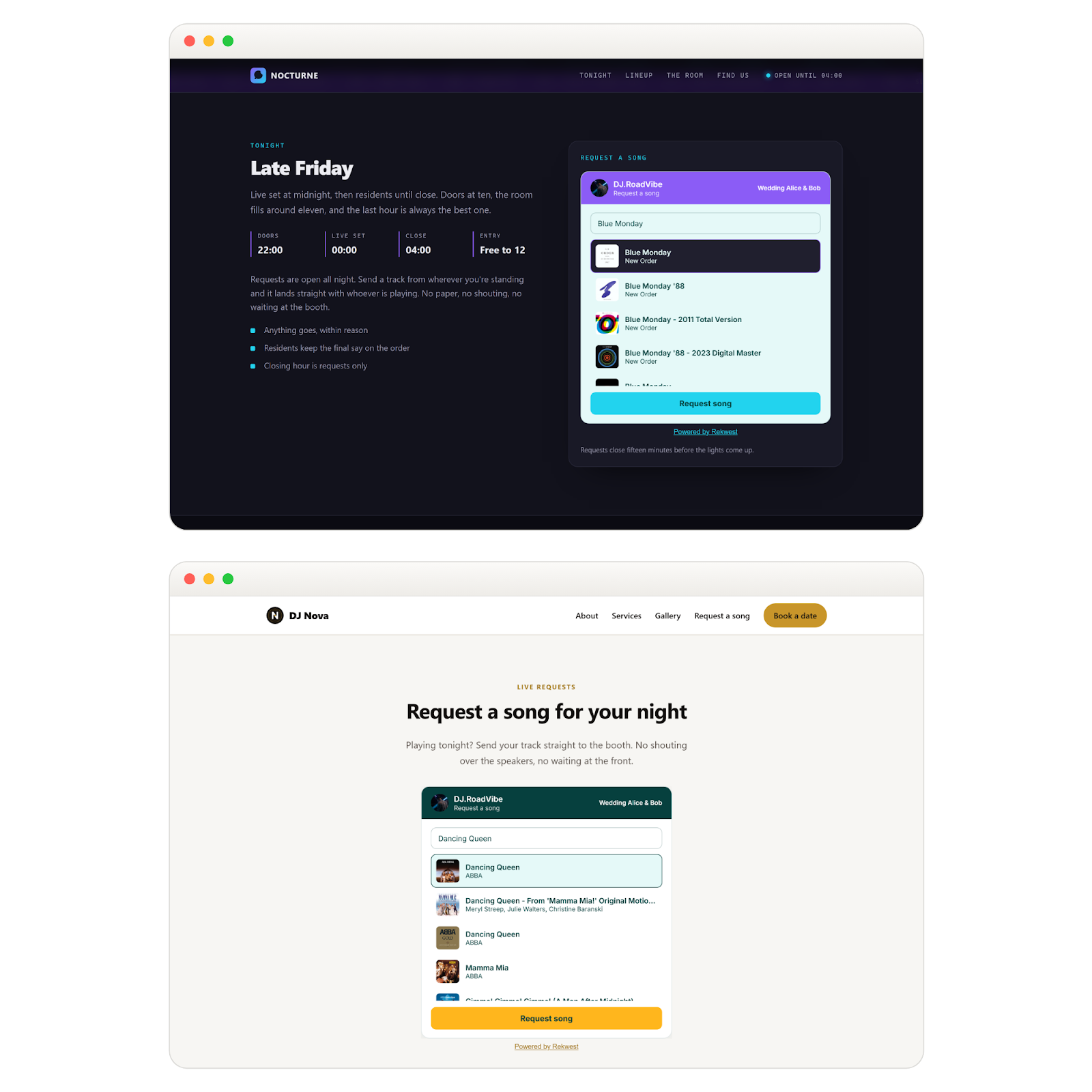
Requests Without Leaving Your Site
The request box sits right on your own page. Visitors search, pick a song and send it to you without ever leaving your site.
Setting it up takes one snippet: copy it from the app and paste it into WordPress, Squarespace, Wix or your own HTML. Rekwest then sends every visitor to the right place by itself, whether you have one event live, several, or one coming up later.
Style It To Match Your Website
Every color, every corner and every word is yours to set. You control the background, the header, the accent and the text colors, round the corners as much as you like and choose the language the widget speaks. The live preview changes with every tweak.
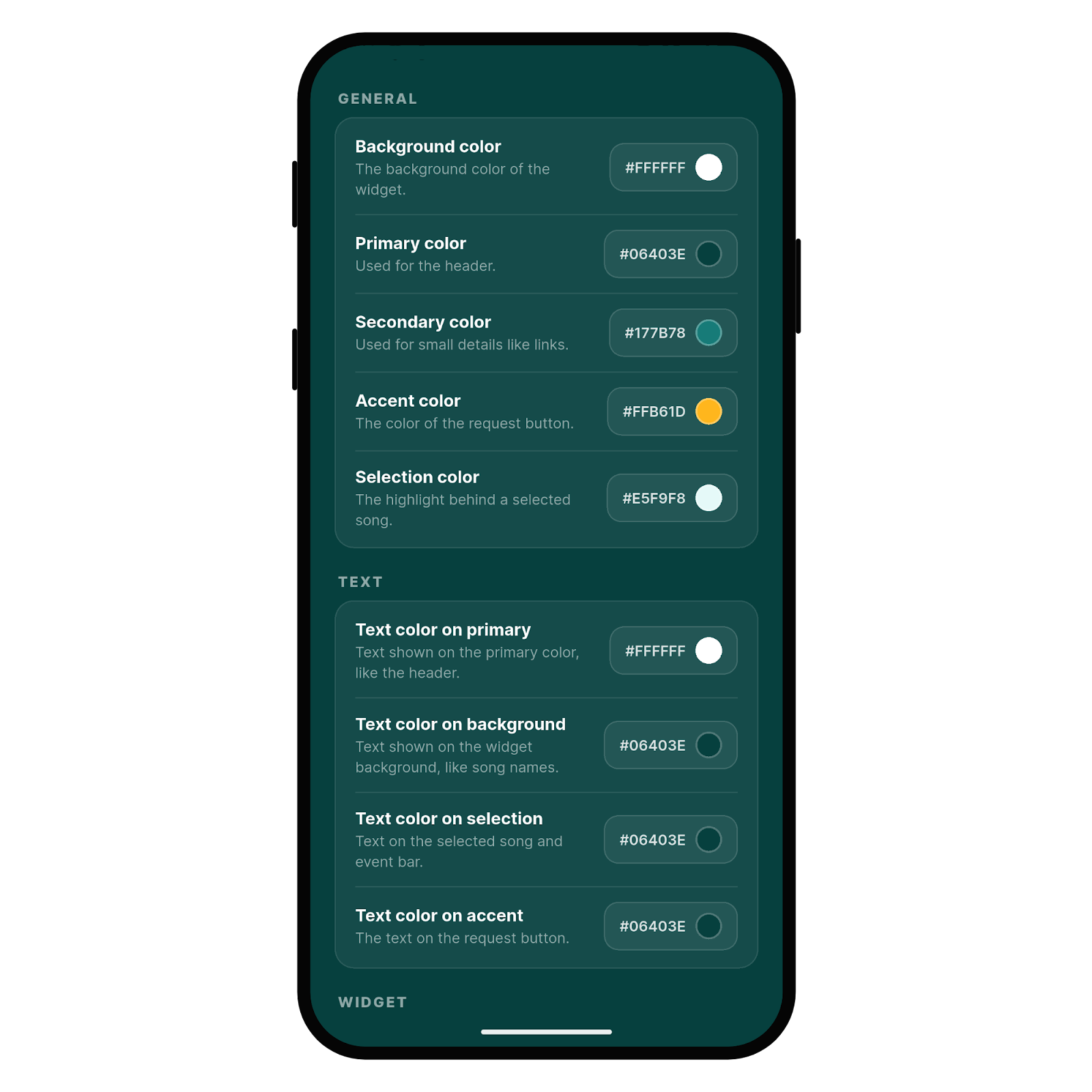
The widget ends up looking like it was always part of your site rather than something borrowed from elsewhere.
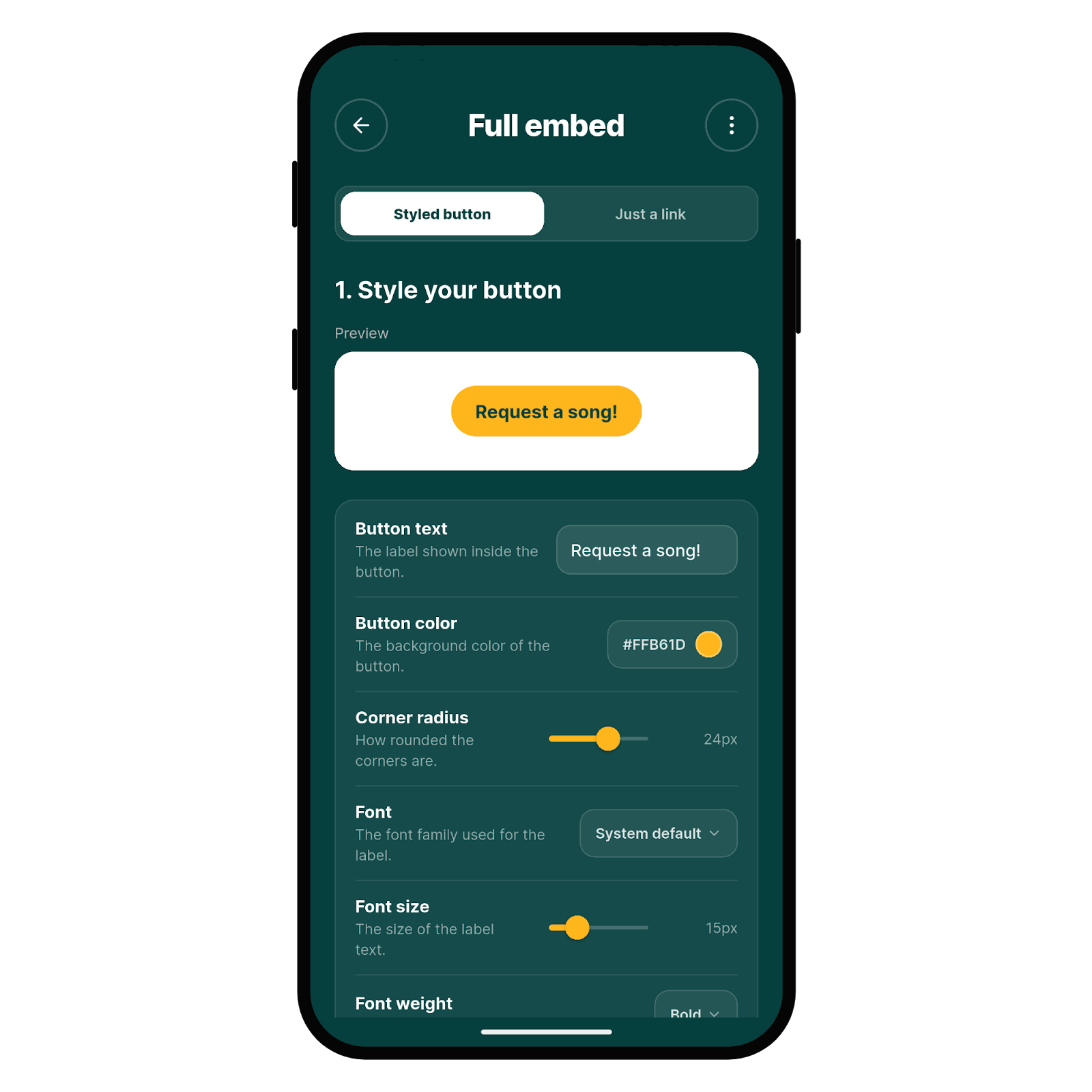
Or Just A Button
The other option is a button you style in your own colors, font and shape, and then drop anywhere on your site. Guests who press it land in the full Rekwest experience, where they can vote on requests, add a message, leave a tip and pick a nickname.
Happy with a button you already have? Take the plain link instead and point your own button at it.
Works Anywhere
The embed works on any platform that lets you paste a snippet of HTML:
- WordPress, Squarespace, Wix and similar website builders
- Custom built sites, whatever framework they use
- DJ and band websites, venue pages, and wedding or event pages
Get Started
Update your Rekwest app, open Settings and set up your embedding today. The website embed documentation walks you through every step.